6.2 Adjusting image sizes
The image that has been created is quite large. If Mario intends to place the image on the internet, it needs to be made significantly smaller.
Skills practised
- Image size
- Aspect ratio
Photo editing exercise 2
- With the ‘Car only’ file open, go to the
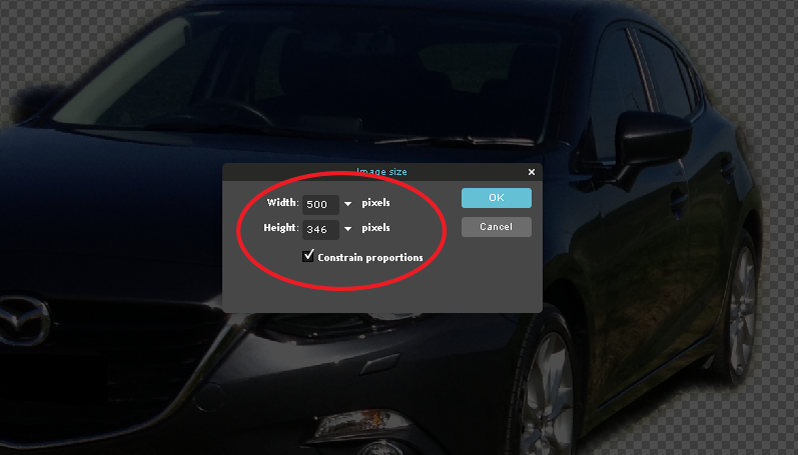
IMAGEmenu and selectIMAGE SIZE. - Set the
WIDTHto 500 pixels and theHEIGHTshould adjust accordingly. If it doesn’t, tick the box markedCONSTRAIN PROPORTIONS. - Select
OKand the image will be resized. - Use
SAVEfrom theFILEmenu to save the image as a .PXD file in your Storage folder under the file name ‘Car smaller’.
Skills practised
- Image size
- Aspect ratio
- With the Car only file open, display the
IMAGEmenu and selectIMAGE SIZE. - Set the
WIDTHto 500 pixels and theHEIGHTshould adjust accordingly. If it doesn’t, turn onCONSTRAIN ASPECT RATIOicon connected to theWIDTHandHEIGHTlabels. - Select
OKand the image will be resized.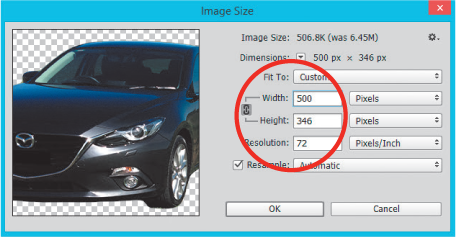
- Use
SAVE ASfrom theFILEmenu to save the image as a Photoshop .PSD file in your storage folder under the file name: Car smaller.